Granting Access to Technical Support
In some cases, ChatApp technical support may request access to a user’s personal account to resolve technical issues.
Technical support never asks for your account login or password.
Do not share personal data with third parties.
Access is granted only via the built-in functionality of the personal account.
How to Grant Access
- Log in to your ChatApp personal account.
- In the left-hand menu, click the profile icon and go to the «Security» section.
- In the «Access» section, enable the «ChatApp employees» toggle.
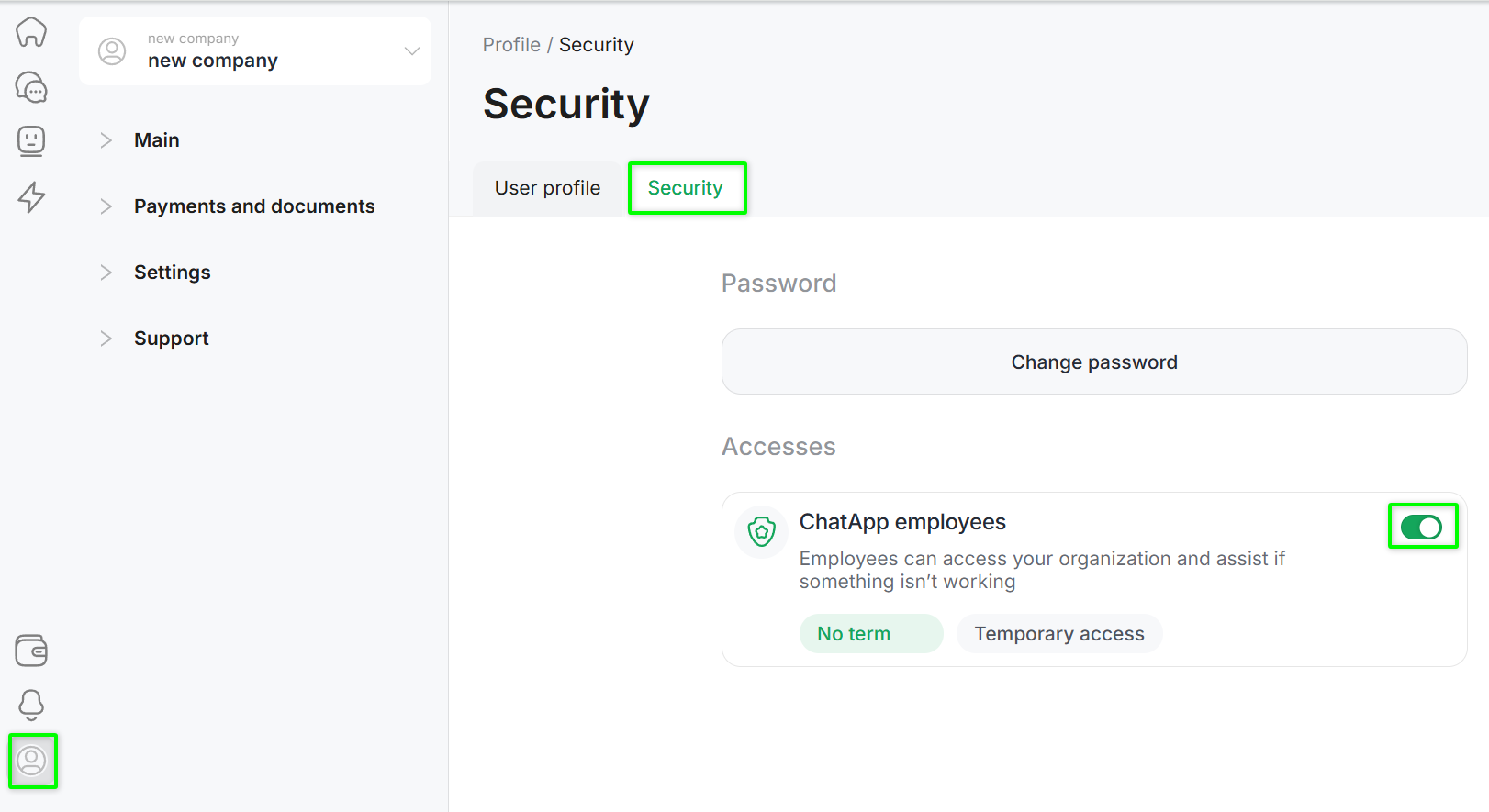
- Select the access duration:
- No expiration, or
- Temporary access and specify the automatic deactivation date.
After completing these steps, technical support staff will be granted access to your personal account.
