In the ChatApp personal account, you can create one or multiple digital business cards and link physical business cards to them. This is a fast and modern way to share your contact details with clients and partners.
• A Digital Business Card is a web page containing your contact information that can be opened on a mobile device and saved to it.
• A Digital Multi Business Card allows you to create multiple business cards under one account (for example, work, personal, or public).
• An NFC Business Card is a physical information carrier in the form of a business card that is linked to a ChatApp digital business card.
Creating a Digital Business Card
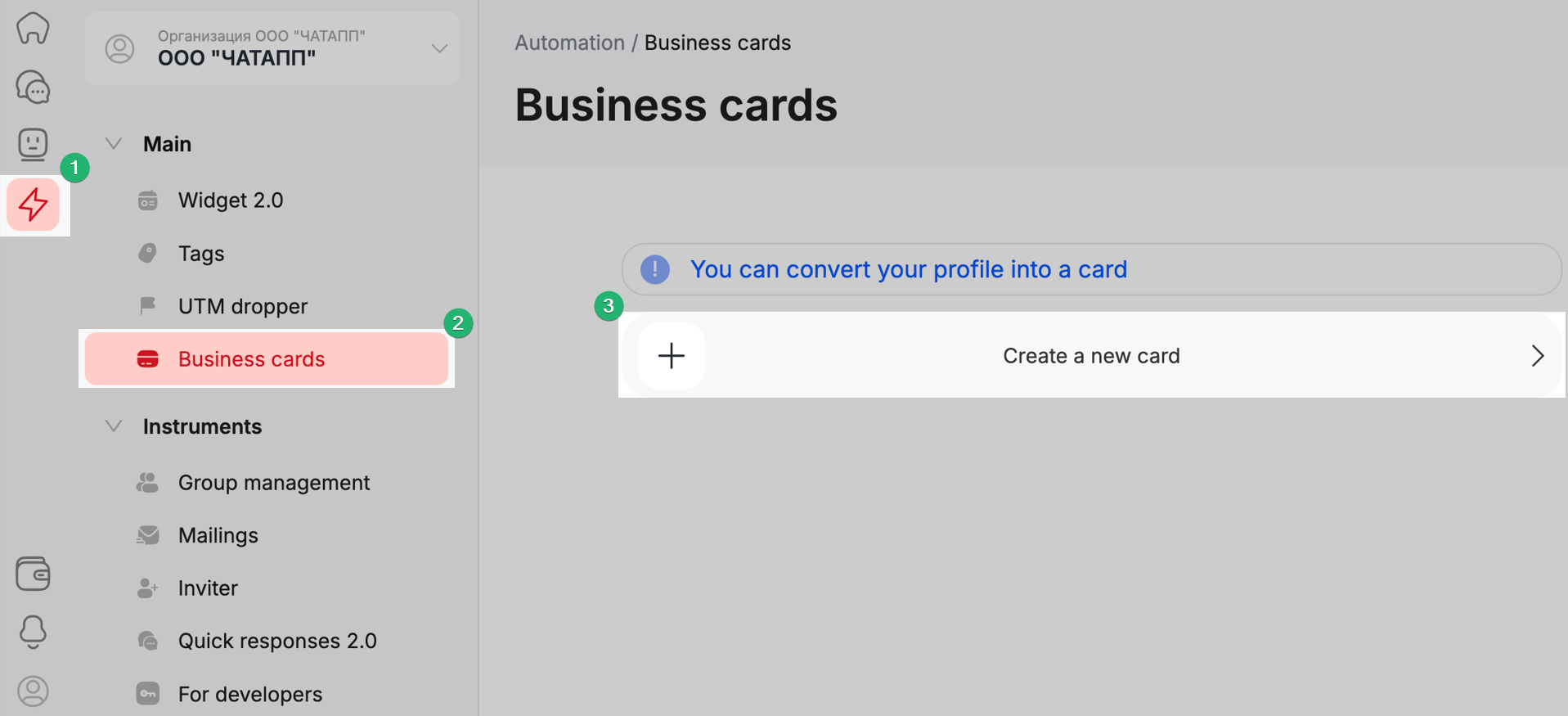
Log in to your personal account.
In the left-hand menu, select Automation, then choose “Business Cards.”
Click “Create New Business Card.”
Fill in your personal details in the business card.
To share the business card, click “Share” and copy the link.

To link a virtual NFC business card to a physical one, hold the card near the screen and tap the notification.
