Line payment
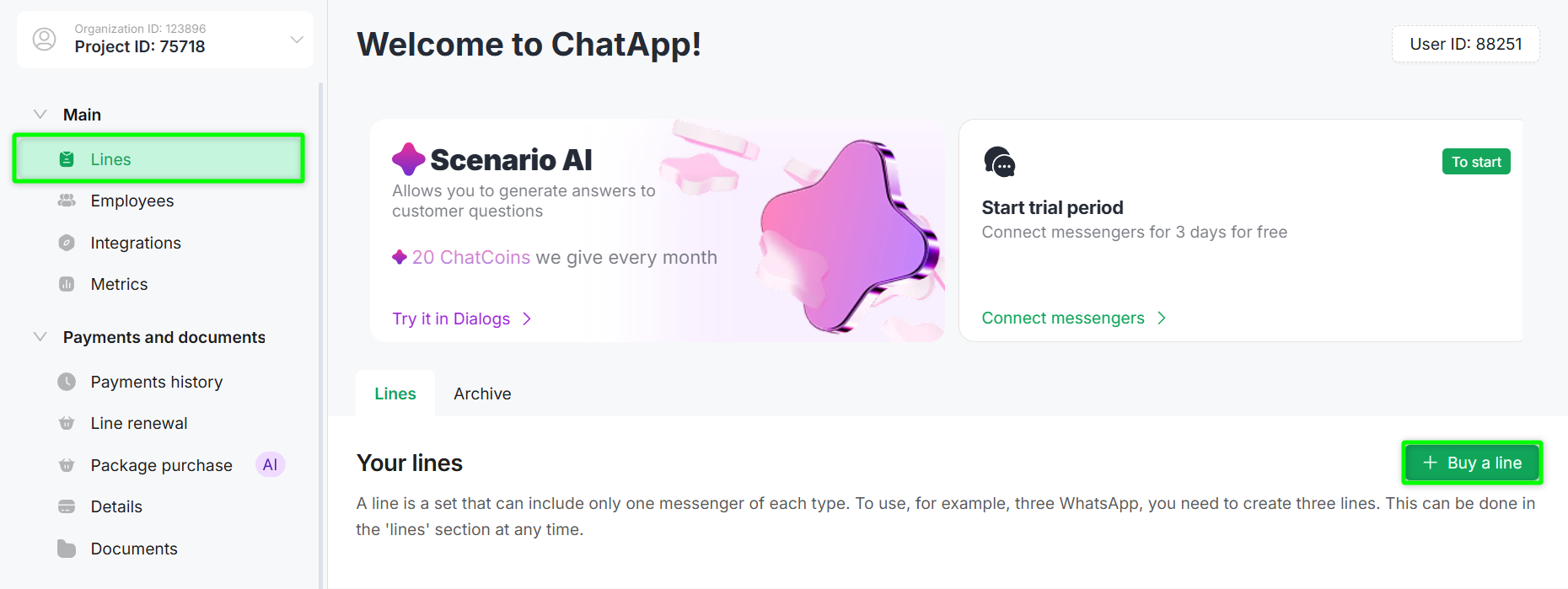
- Go to the «Lines» section of the required project.
- Click the «+ Buy a Line» button.
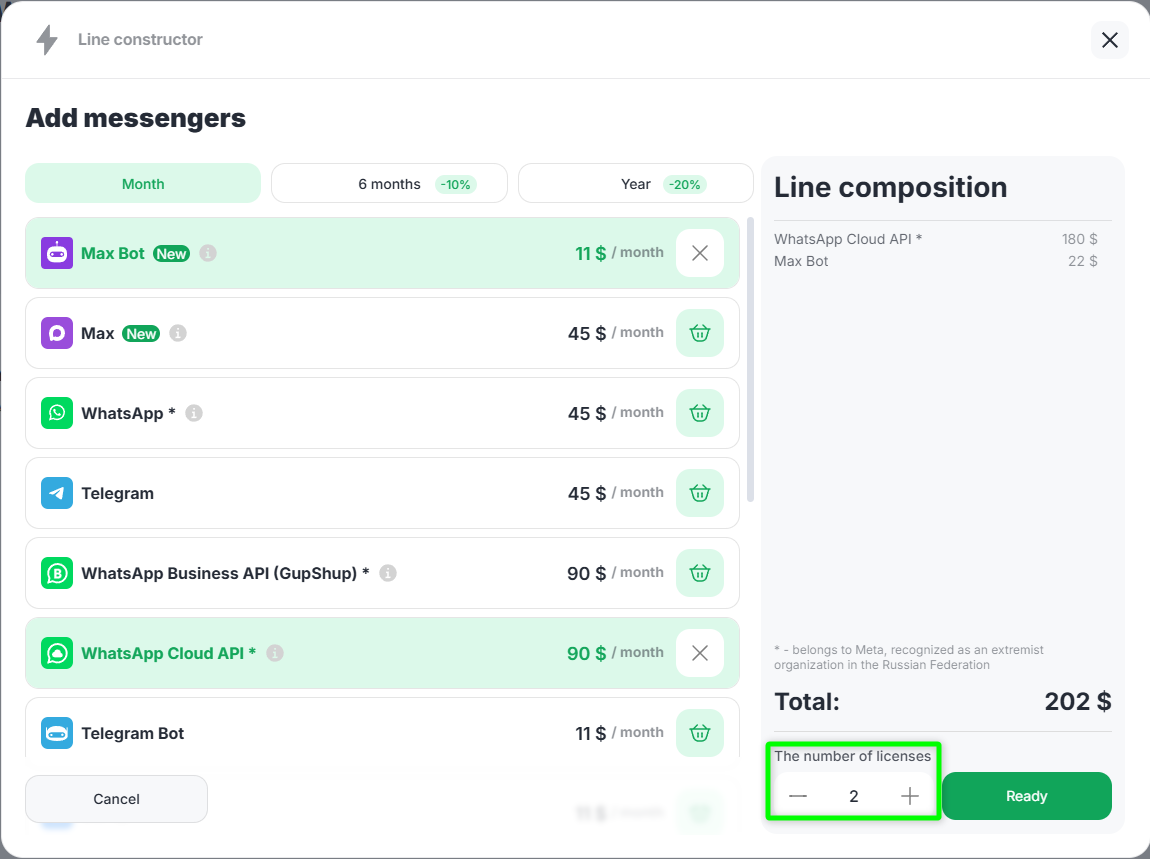
- Select the term:
1 month
6 months — 10% discount
1 year — 20% discount - Add the required channels by clicking the cart icon.
- Specify the number of lines.
- After forming the line configuration, click «Ready».
- A window for reviewing and editing the order will open.
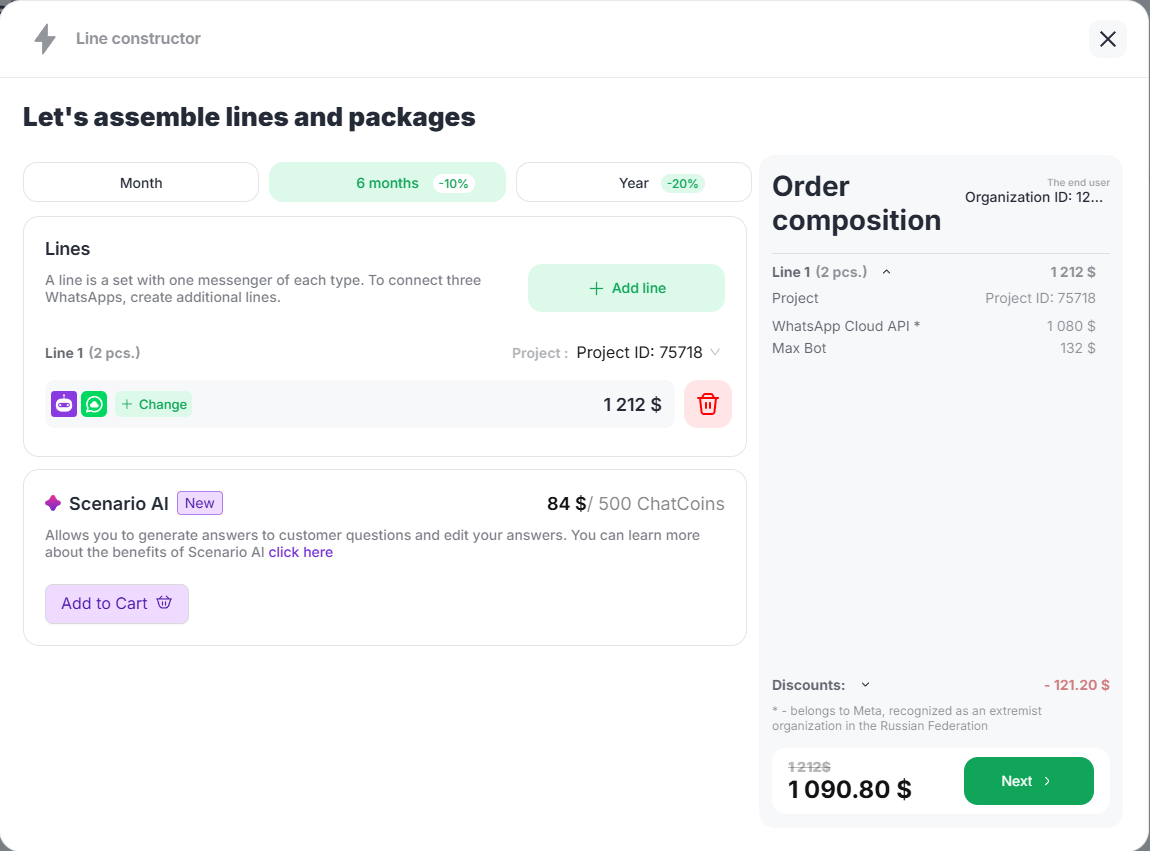
The system will generate an order where you can:
- change the line term;
- add a new line by clicking «+ Add line»;
- modify the line configuration using the «Change» button;
- remove a line from the order;
- add ChatCoins to the cart (see instructions).
- Click «Next» to proceed to payment.
- Select a convenient payment method and complete the payment.
- After successful payment, the purchased lines will appear in the «Lines» section.
Available Payment Methods ($):
-
Invoice — payment via bank details;
-
Card (Robokassa) — card payment (with the option to receive invoicing documents);
-
Card (PayPal) — card payment (with the option to receive invoicing documents);
-
Bonuses — payment using bonuses.
Payment using the Bonuses is available only if there are sufficient funds in the corresponding account. When paying via Robokassa, the service automatically converts USD ($) to KZT (₸) at the time of payment.
