Extend lines
Renewing an existing line allows you to keep the authorization of connected channels without creating a new line.
Below is the instruction for renewing a single line.
If you need to renew two or more lines with a single payment, refer to the «Group Line Renewal» instructions.
-
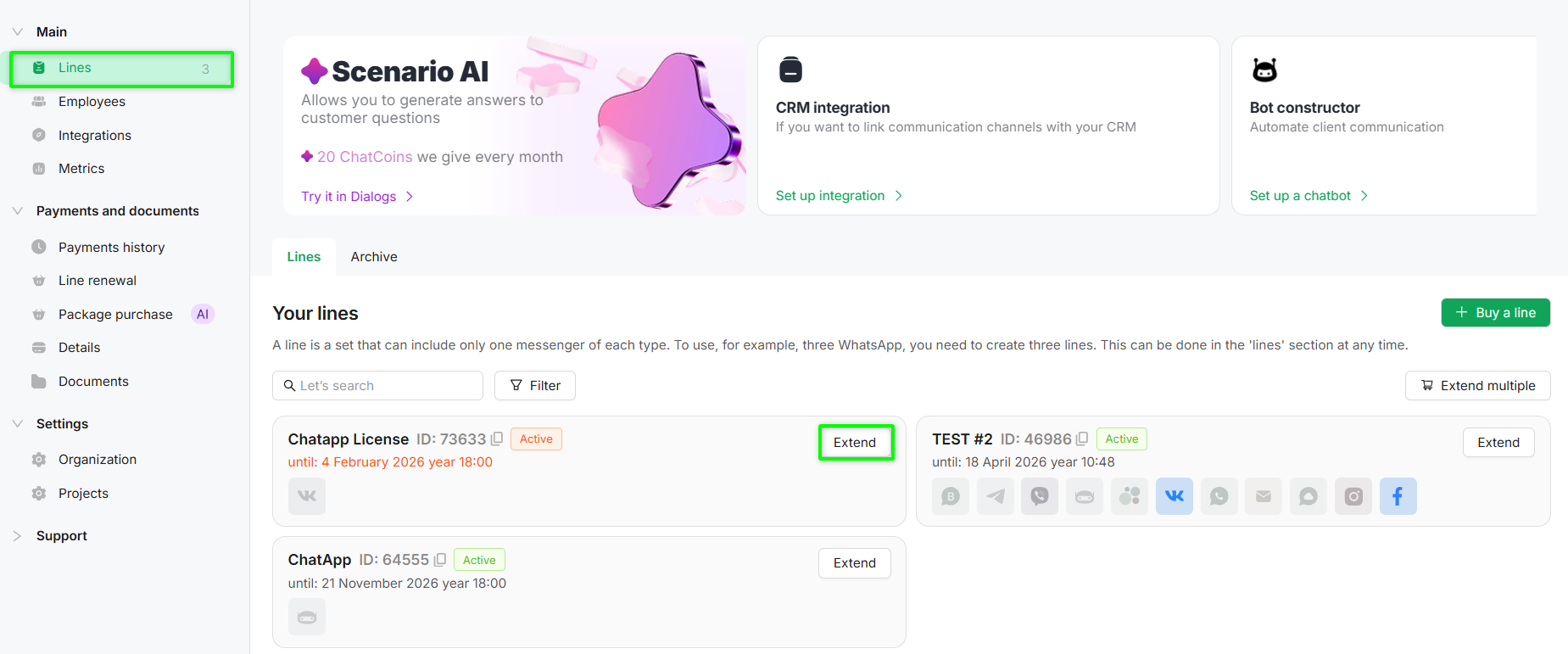
Go to the «Lines» section of the required project.
-
Click the «Extend» button next to the required line.
-
The system will generate an order where you can:
-
change the line term;
-
add a new line by clicking the «+ Add line» button;
-
add ChatCoins to the cart (see instructions).
-
-
Click «Next» to proceed to order payment.
-
Select a convenient payment method and complete the payment.
The channel configuration can be changed up to 5 days before the line expiration date.
In the «Line Renewal» section, you can renew all organization lines with a single payment.
Adding messengers and changing the line configuration is available no later than 5 days before the line expiration date in the «Lines» section.
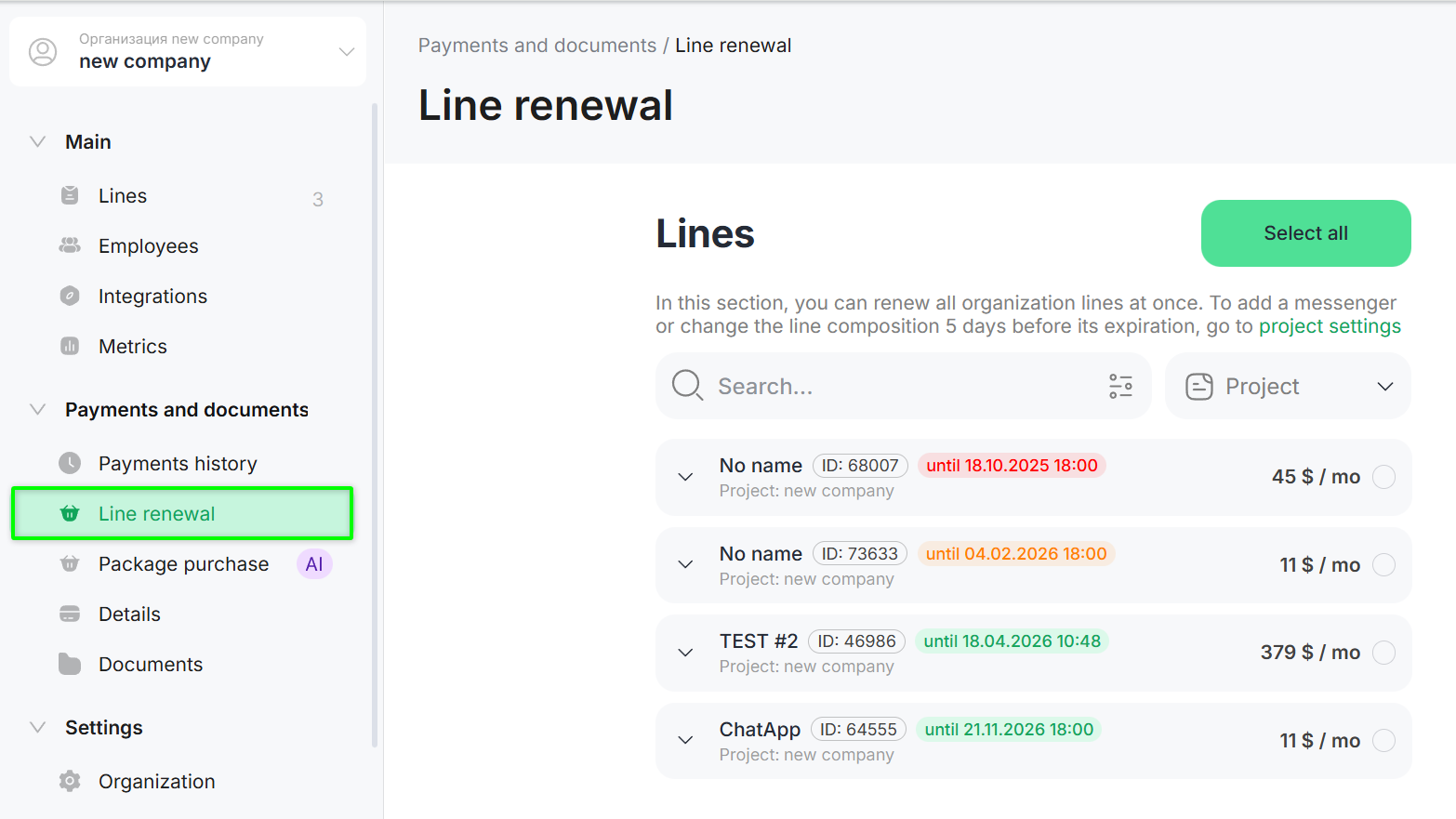
1. Go to the «Line Renewal» section.
2. Select the lines you want to renew, or click «Select all» to renew all lines.
-
lines marked in red have an expired payment period;
-
lines marked in orange will expire in less than 7 days;
-
lines marked in green are active lines.
3. In the right-side menu, select the renewal term.
4. Click «Next» — the payment method selection window will open.
5. Select a payment method and complete the payment.
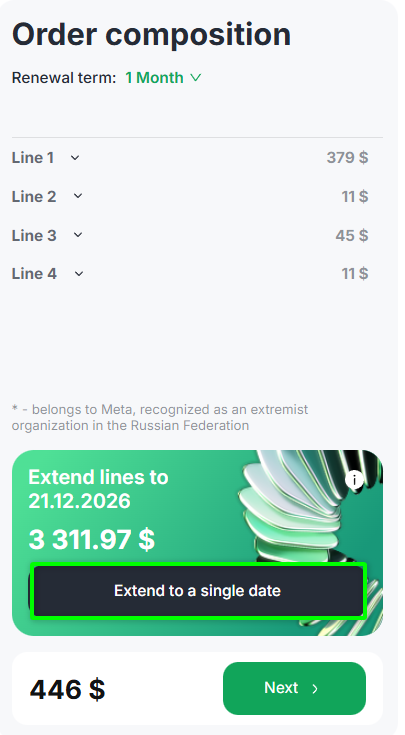
You can set a extend toa single date for the paid period of the selected lines.
This simplifies future renewals and allows you to synchronize payment dates.
How Is the Payment Calculated for Different Expiration Dates?
-
The latest expiration date among the selected lines is determined.
-
The selected renewal term — 1 month, 6 months, or 12 months — is added to this date.
-
For the remaining lines, an additional charge is calculated for the period required to align them with the new unified date.
Line Expiration Dates:
-
first line — until 28.10.2025;
-
second line — until 04.02.2026;
-
third line — until 18.04.2026;
-
fourth line — until 21.11.2026.
The latest date is 21.11.2026.
When renewing for 1 month, all lines are extended until 21.12.2026.
As a Result:
-
the first line is extended by 10 months and 24 days;
-
the second line — by 10 months and 17 days;
-
the third line — by 8 months and 3 days;
-
the fourth line — by 1 month.
