Number Tiers and Business Account Limits
Official WhatsApp provides 5 number tiers.
The tier determines how many conversations per day can be initiated.
The number of incoming messages is unlimited at any tier.
For outgoing messages:
- The messaging limit is assigned to the entire business portfolio.
- All numbers share the overall business portfolio limit.
- A new number inherits the business portfolio limit.
- At the first tier, the limit is up to 2,000 messages.
- Automatic limit upgrade checks occur every 6 hours.
- «Flagged» status does not reduce the limit.
If a number was connected before October 7, 2025 and has a limit of 1,000 messages, in order to increase the limit to 2,000, a new number must be connected within the same business portfolio.
«Flagged» status: low quality may result in account restrictions or suspension.
| Tier 0 | Available immediately after registration in Facebook Business Manager*. Company verification on Facebook* is not required. |
|
| Tier 1 | Requirements:
Conversation quality must meet Facebook* requirements — described in the relevant article. |
|
| Tier 2 | Requirement:
Conversation quality must meet Facebook* requirements. |
|
| Tier 3 | Requirement:
Conversation quality must meet Facebook* requirements. |
|
| Tier 4 | Requirement:
Conversation quality must meet Facebook* requirements. |
|
Business Account Display Name
The organization name is displayed instead of the phone number:
- after company verification;
OR - after opening 1,000 conversation sessions with different users within 7 days while maintaining high message quality.
WhatsApp Account Quantity Limits
By default, a business account can register:
- up to 2 WhatsApp accounts.
After company verification, the limit may be increased:
- up to 20 WhatsApp accounts (see the related article for details).
How to Monitor Limits and Conversation Quality
- Go to the «WhatsApp accounts» section and select the required account.
- Open WhatsApp Manager.
- In the «Messaging limits» section, you can view the maximum number of conversations that can be initiated per day.
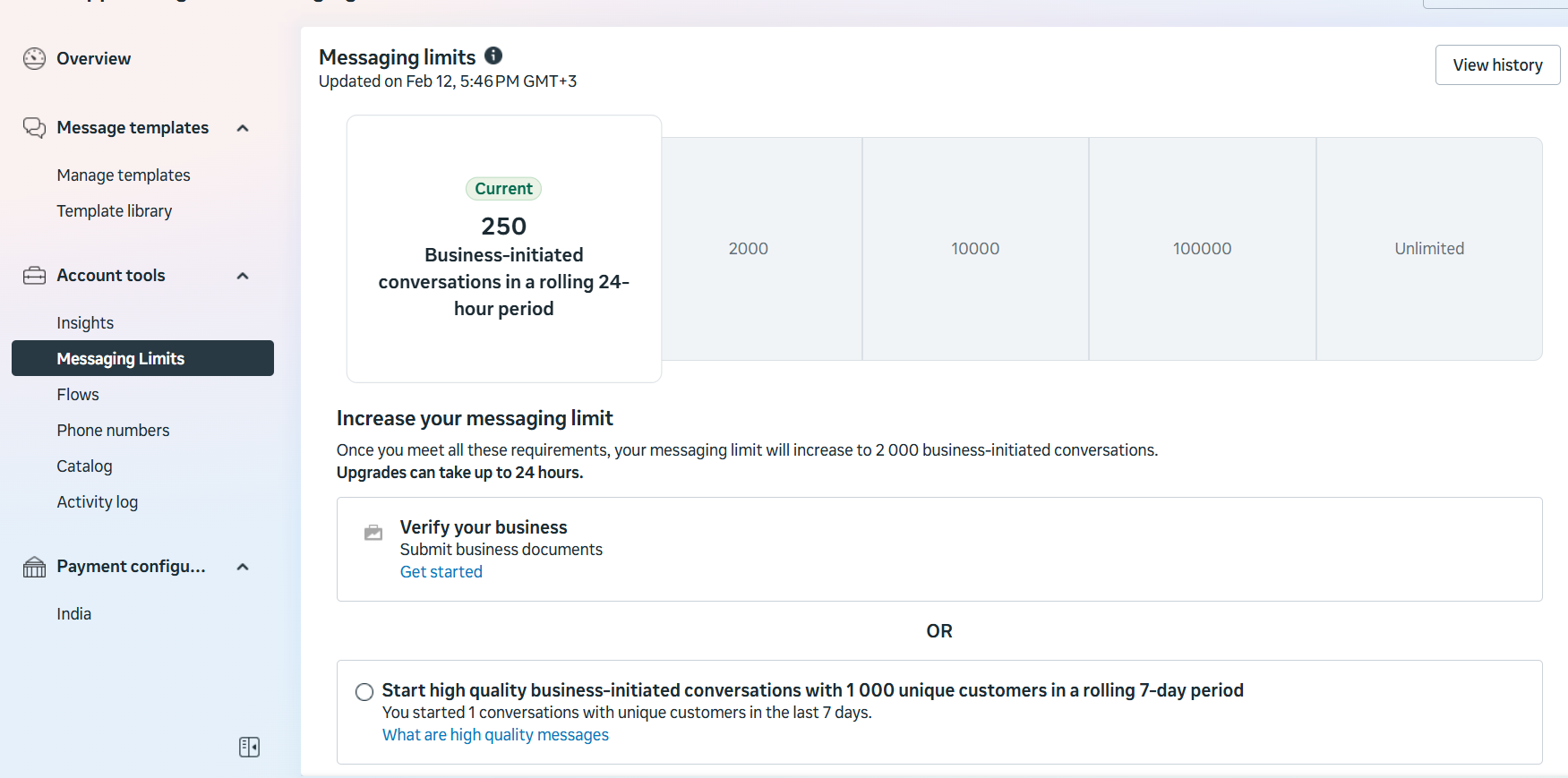
How to Increase the Number Tier
WhatsApp automatically upgrades the number tier if quality conditions are met.
To increase the tier:
- Within 7 days, initiate conversations with X unique users,
where X = current limit / 2; - Maintain high message quality;
- Avoid complaints and blocks.
Example
A company with a limit of 1,000 conversations initiated conversations with 600 unique users within 7 days.
If no complaints were received, the limit was increased to 10,000 conversations.
WhatsApp Message Requirements
Messages must:
- Comply with the WhatsApp Business Policy and the WhatsApp Commerce Policy;
- Comply with applicable rules and recommendations;
- Be personalized and useful;
- Not contain generic greetings or empty introductory messages;
- Be sent at a reasonable frequency;
- Use message templates only with user consent.
