Appealing an Official WhatsApp Account Suspension
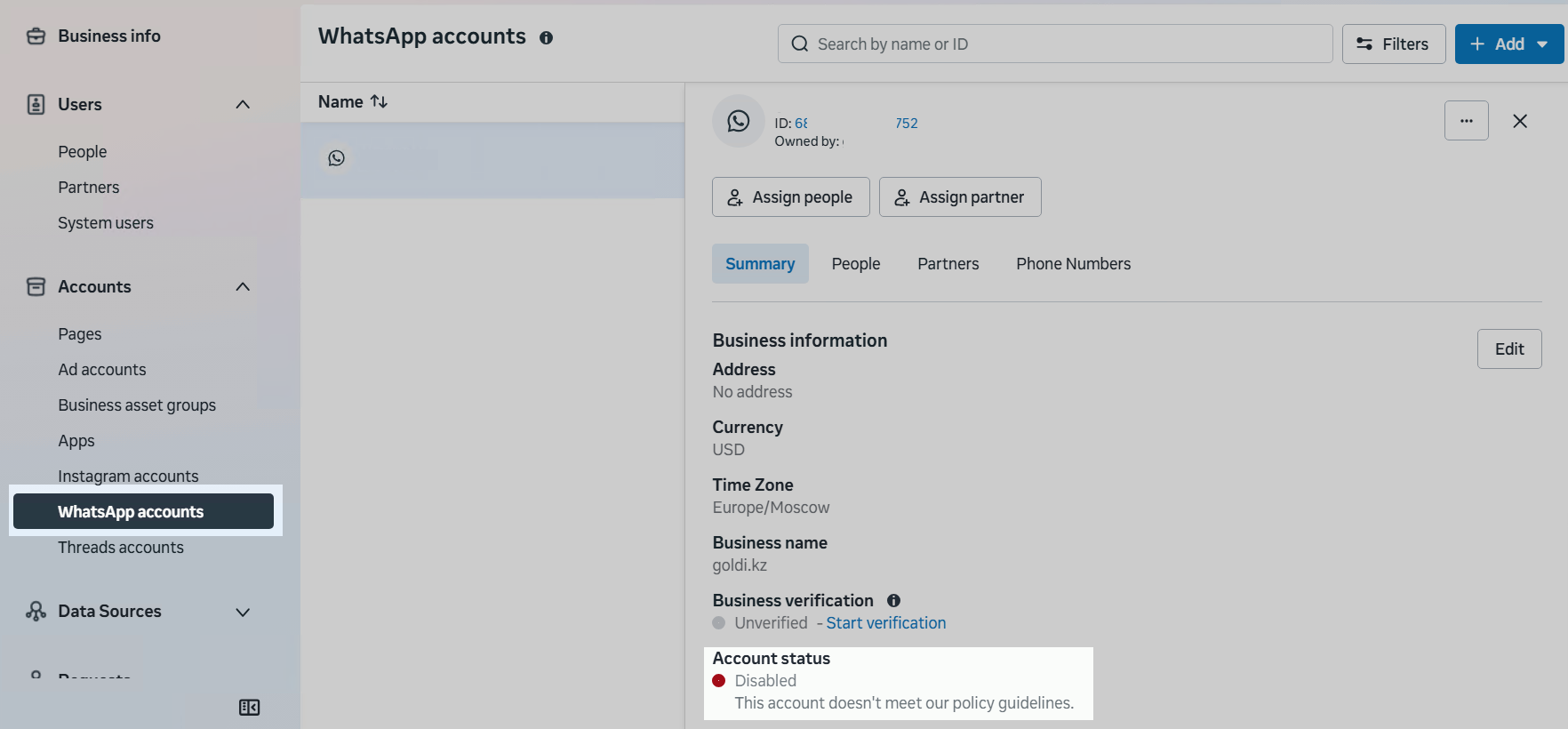
If an account is blocked, one of the following statuses appears in Meta Business Suite in the company settings at:
«WhatsApp accounts» → «Account name» → «Account status»:
- «Disabled»
- «Restricted»
Submitting an Appeal
How to Request a Review
- Go to WhatsApp Manager and click the «See more in Business Support Home» icon.
- Resolve the identified cause of the suspension and click «Request review».
- Appeal Message Template:
Dear Facebook Team,
On behalf of the company (company name), we would like to request a review of the suspension of our account.
WhatsApp is an important channel for our business communication and interaction with customers. The current suspension significantly affects the operational activities of our company.
We use official WhatsApp for (specify the purpose of use: customer support, notifications, service communication, etc.).
We confirm that our company’s activities fully comply with the platform’s rules and policies. We do not engage in political activities, distribute prohibited content, or allow discrimination on any grounds.
Our company is committed to providing high-quality services and professional customer support regardless of gender, race, nationality, or religion.
Official company website: (provide the website address).
We would greatly appreciate a re-review of our account and consideration of lifting the restrictions.
Sincerely,
(company name)
If There Is No Response from Meta
If no response is received from Meta within 48 hours, follow the link.
Create a support request directly with Meta.
Please note: direct Meta support is not available to all users and may depend on the account status.
Main Reasons for Suspension
A WhatsApp Business API account may be restricted or disabled for the following reasons:
- Violation of WhatsApp Policies
Strict compliance with messaging policies is required. - Spam and Fraud (SCAM)
Mass messaging without recipient consent or misleading messages. - User Complaints
A large number of complaints may lead to restrictions or account suspension. - Business Category Mismatch
Actual communication does not correspond to the business category specified during registration. - Prohibited Categories and Topics
The full list of prohibited topics is available here.
