Registering a Company on Facebook
To work with official WhatsApp, you must register and configure your company in Meta Business Suite.
Creating a Business Portfolio
- Open the Meta Business Suite website in your browser.
- Sign in using your personal Facebook account.
- Click «Create business portfolio».
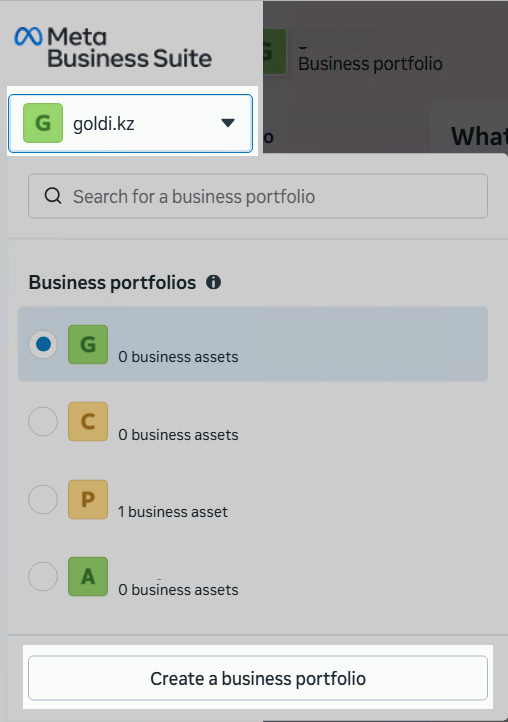
- In the form that opens, specify:
- company name;
- contact information.
- Click «Create».
After that, the business portfolio will be registered.
Filling in Company Information
- Go to the «Settings» section.
- In the «Business info» section, click «Edit».
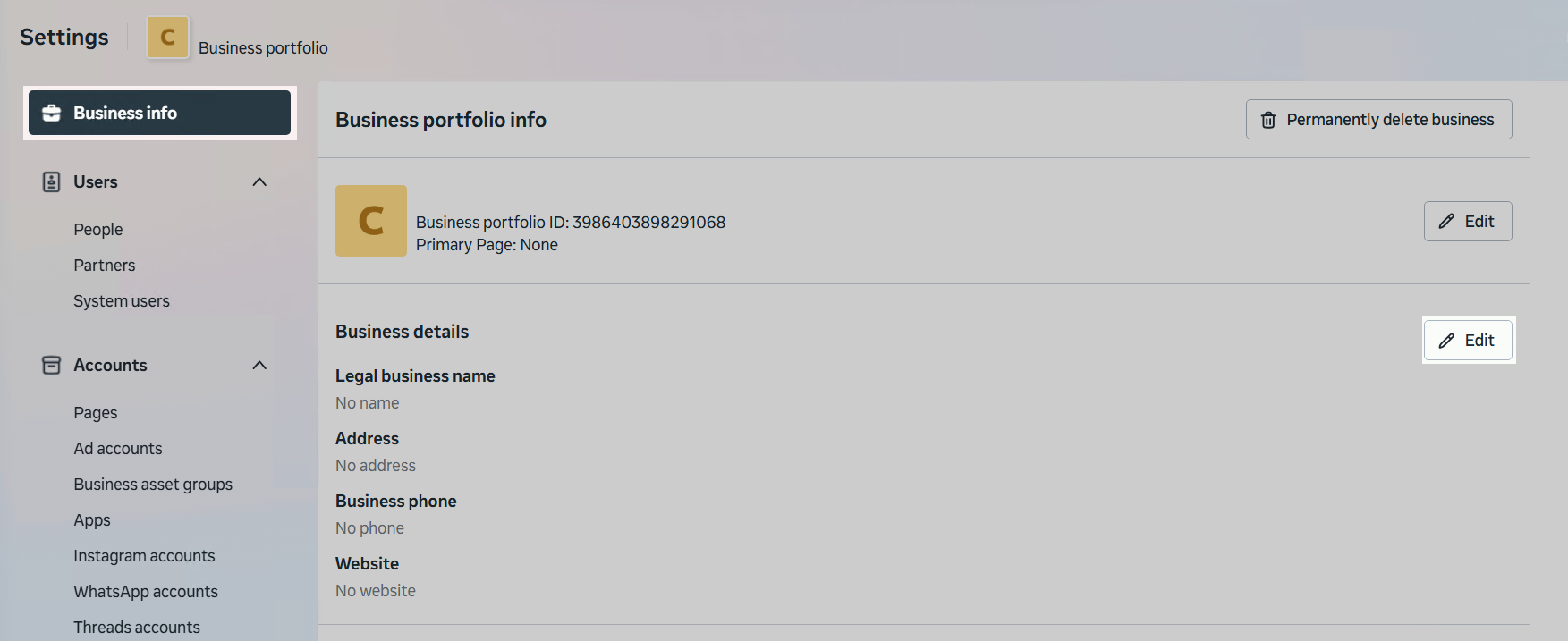
- Fill in the required fields with current data.
Data Requirements
The form must include:
Name — exactly as indicated in the registration documents.
For sole proprietors, use the format: Individual Entrepreneur Full Name.
Address (Address line 1, city, region, postal code) — must fully match the legal address.
Company phone number — a phone number belonging to the legal entity.
Company website — the company website URL.
The website domain must match the domain of the corporate email address.
Important: all provided data must fully match the information published on the company’s website.
Preparing the Company Website
To pass verification, the company website must contain the following information.
1. Legal Information
The website must display:
- the legal name of the company;
- the full address (postal code, country, city, street, building, office, etc.);
- the company phone number (it may differ from the number connected to the WhatsApp API).
Important: the phone number must be real and permanent (dynamic number replacement is not allowed).
The information on the website must match the data specified in Meta Business Suite.
2. Privacy Policy
The website must include a «Privacy Policy» page that complies with WhatsApp platform requirements.
Recommended text:
The company [COMPANY NAME] may process customers’ personal data (including name and phone number) to send marketing and informational messages about products, services, promotions, and events through messaging platforms, including WhatsApp.
The first message sent to the customer contains a request for informed consent to receive messages. The customer can always accept or decline. The company undertakes to use the data only within the scope of the consent received and in accordance with personal data protection laws.
The customer may unsubscribe from messages at any time by sending the word «Unsubscribe» in the messenger or by sending an email to [YOUR EMAIL] with the subject «Unsubscribe from mailing». After the request is received, the company will stop sending messages within a reasonable time.
The company [COMPANY NAME] does not transfer personal data to third parties and applies technical and organizational security measures, including employee access restrictions and data protection.
Place this text (or a text with equivalent meaning) on the Privacy Policy page of your website.
