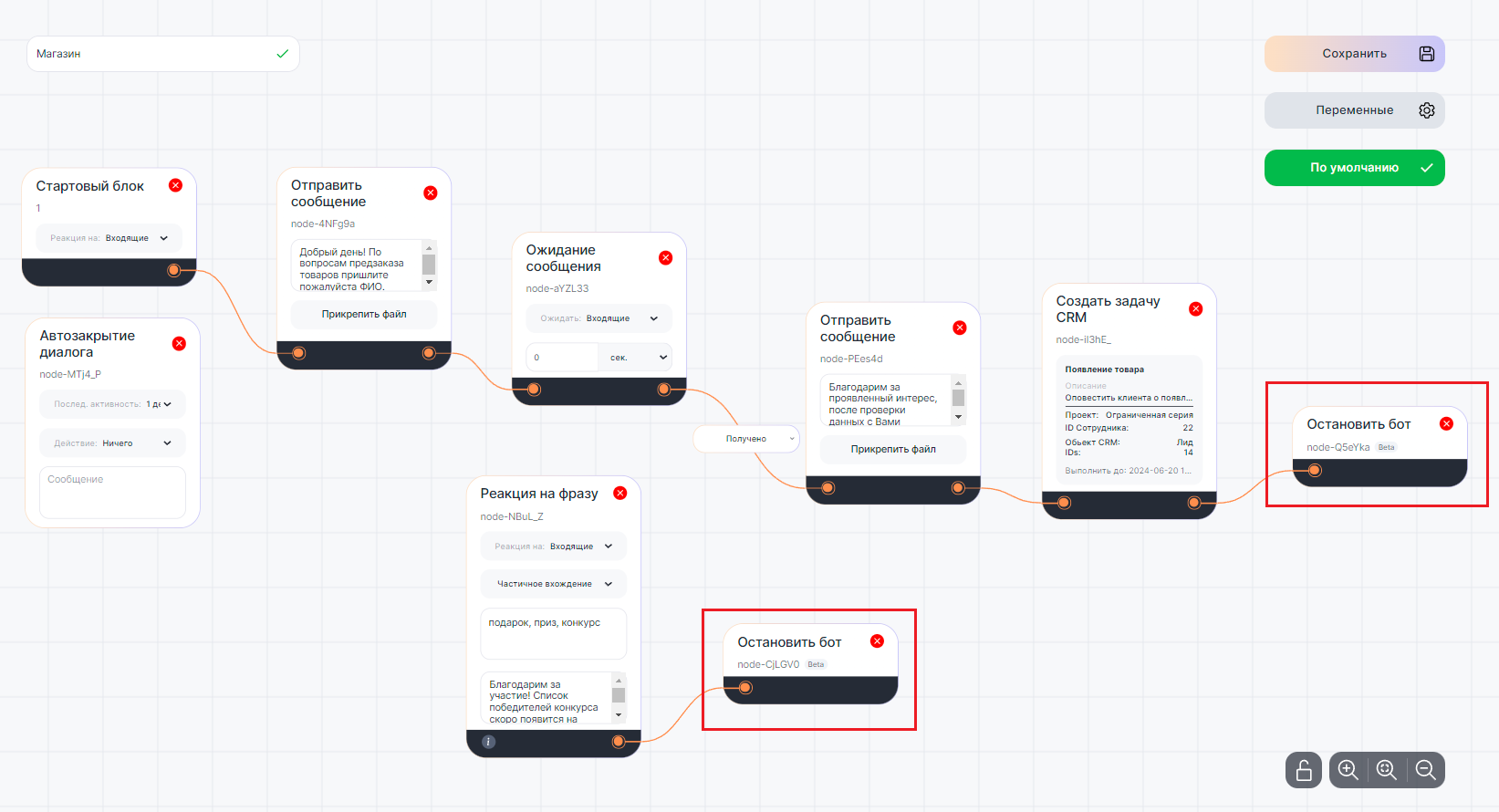
There are two ways to stop the script: the /stopbot command or the “Stop bot” block.
Learn more about stopping a script with the command in the article – How to stop a bot.
Customizing the “Stop a bot” block
The “Stop a bot” block allows you to terminate the script at any stage of the process:
1. Go to the Script editor and add the “Stop a bot” block to the workspace.
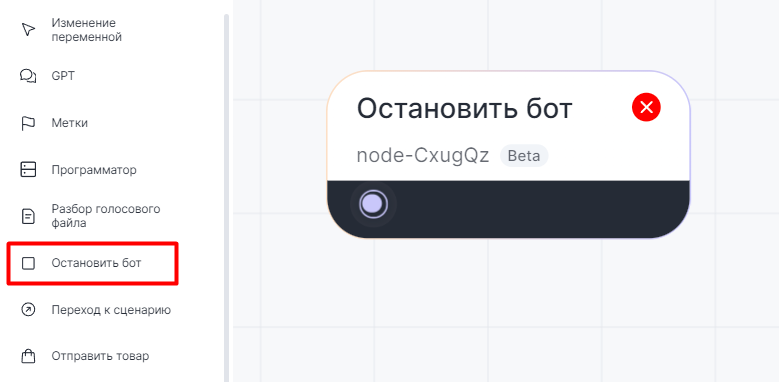

A block has an entry point that can be connected to any other blocks.
2. The “Stop a bot” block can react to the keys of the “ Reaction to a phrase” block.
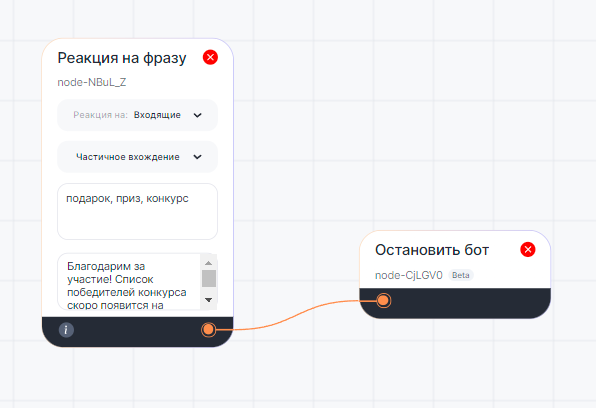

Script example in the Bot builder
In the above example script, the “Stop a bot” block will be activated after the client’s data is transferred to the CRM system card.
If a client sends a message with a key phrase, the “Reaction to a phrase” block will also be activated. Then, the bot will stop the script.