You can connect Telegram Personal using a private Proxy server.
Buy “private IPv4 SOKS5“. Other servers will not work.
Connecting Proxy through your Personal account
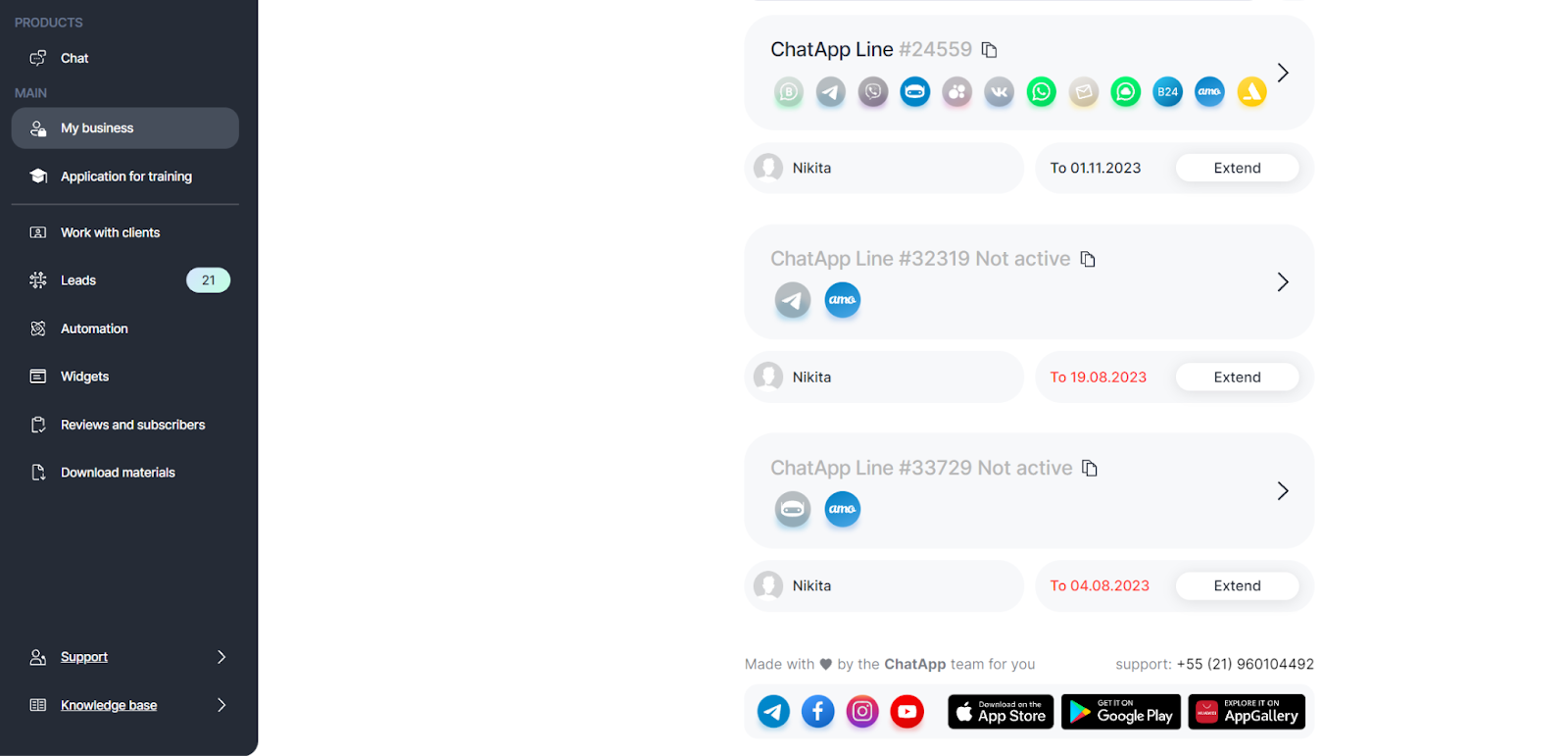
1. Go to your ChatApp personal account;
2. Go to the Selected company section;
3. Select the line to which you want to connect Telegram with Proxy;
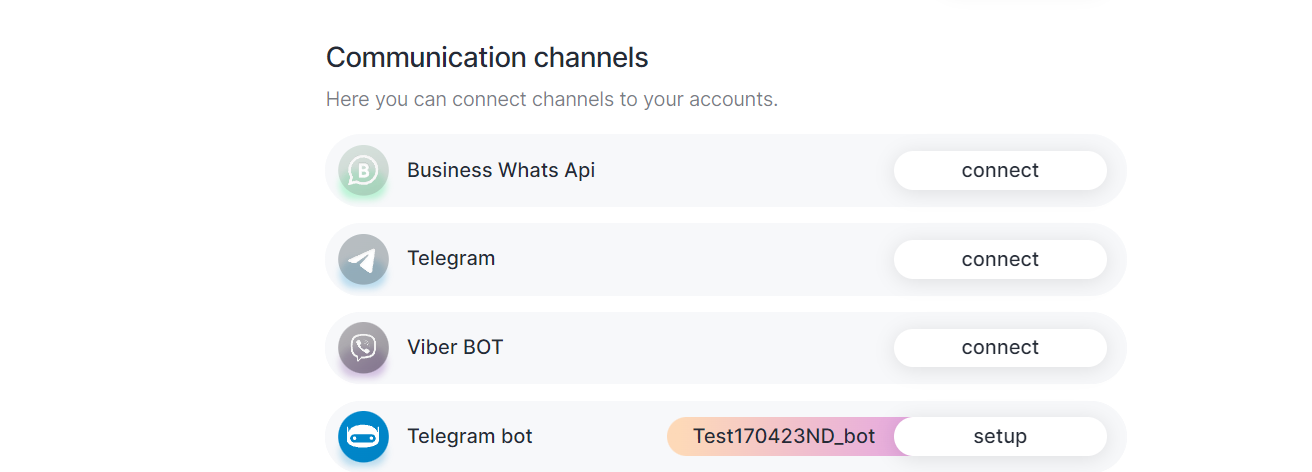
4. Select the Telegram communication channel;
5. Click Connect or Setup;
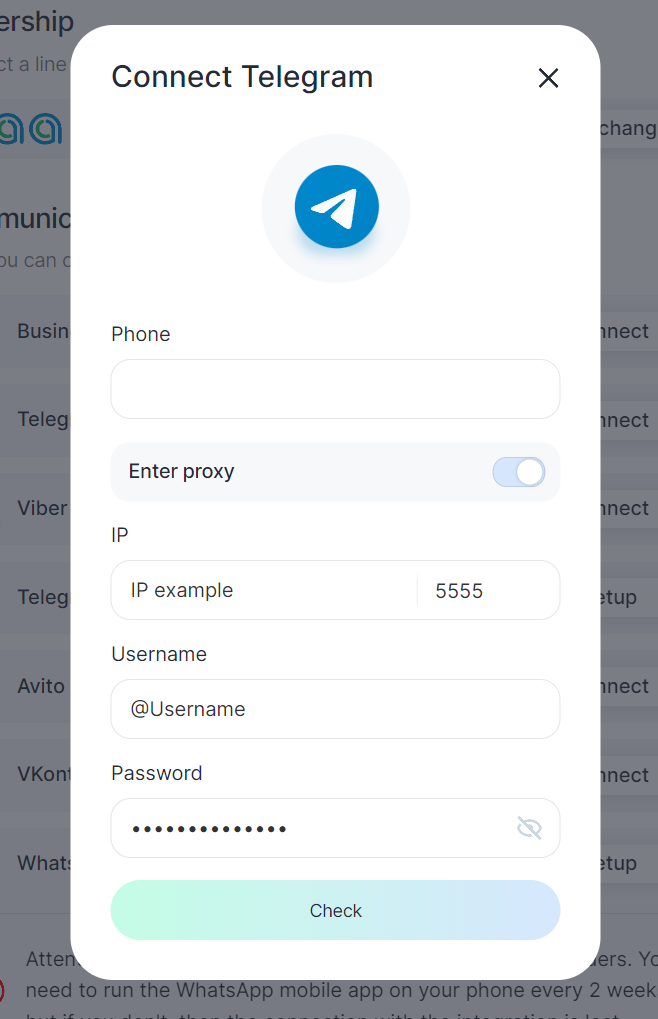
6. Move the Enter Proxy slider to the active position;
7. Enter your phone number;
8. Enter the IP, port, Username, and password of the purchased server;
You have successfully connected Proxy to Telegram Personal.
