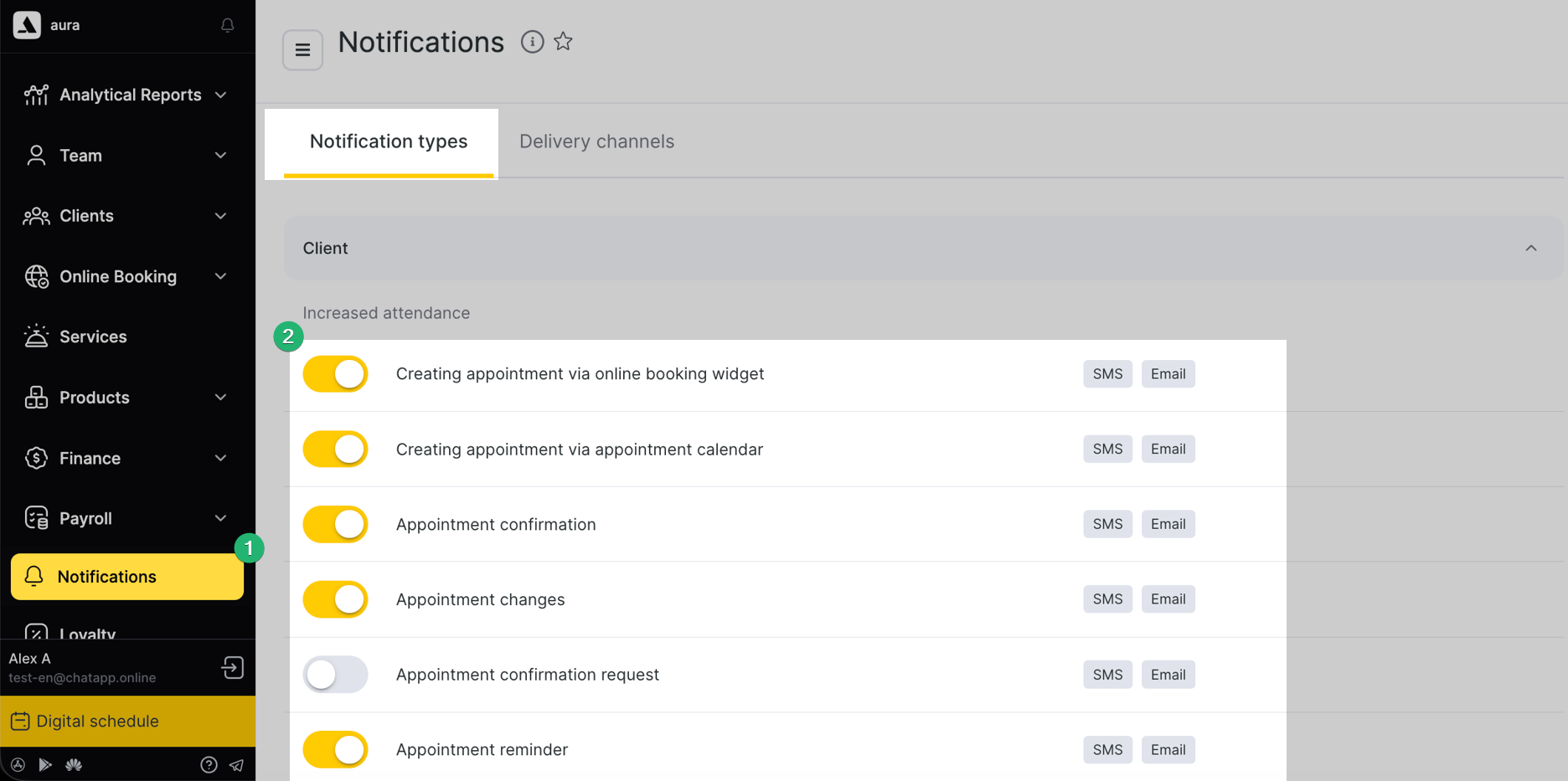
Step 1. Go to “Administration” → “Notifications”.
Step 2. Enable the required notification types and disable unnecessary ones.
Step 3. Click the pencil icon next to the required notification type.
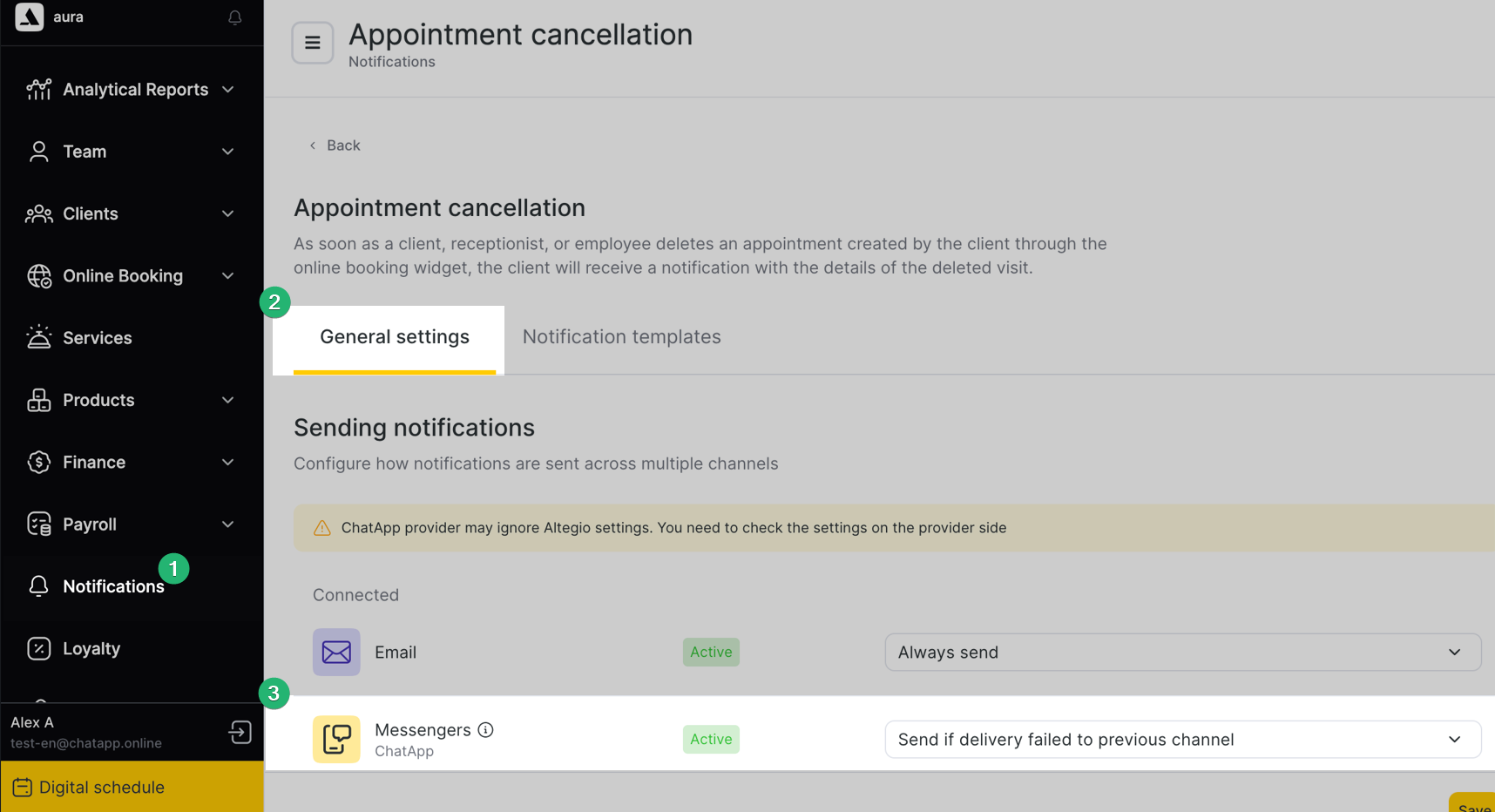
Step 4. In “General settings”, enable sending via “ChatApp Messengers”.
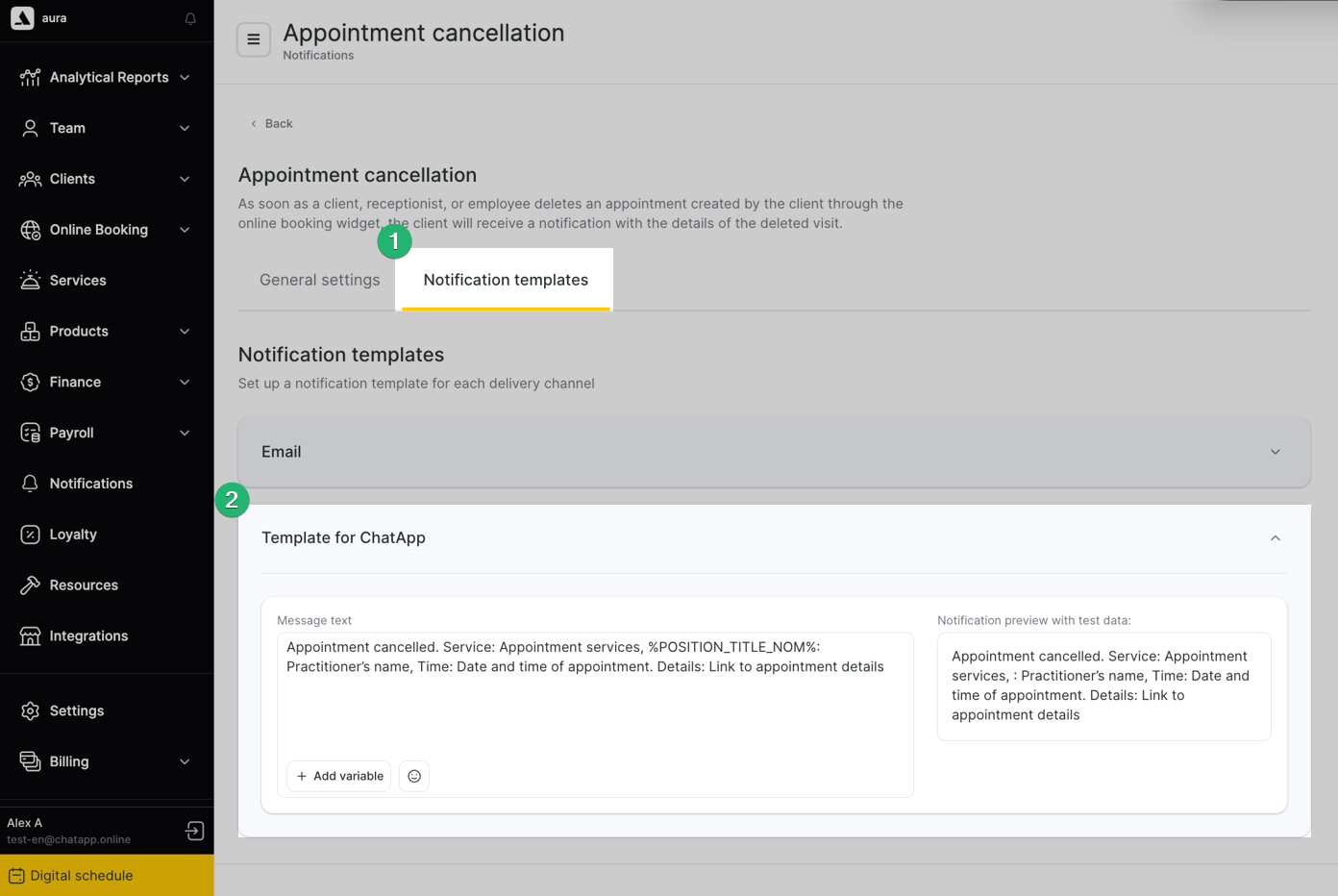
Step 5. Go to the “Notification templates” section and specify the message text in the “Template for ChatApp” field. If official WhatsApp is used — insert the template code.
Step 6. Click “Save”. Done — notifications will be sent automatically.
How to get the template code:
Step 1. Go to “Integrations” → “Installed” → ChatApp → “Settings”.
Step 2. Open the “Templates” section, in the “Line” field select the line with official WhatsApp.
Step 3. In the “Messenger” field, select your connected channel.
Step 4. Click “Load template list” and select the required template in the “Templates” field.
Step 5. If there are variables — open the “Variables list” and select variable values from the list (they are pulled from Altegio).
Step 6. Click “Generate”, copy the code, and paste it into the “Template for ChatApp” field.
Configure which channel will be used for sending notifications.
Step 1. “Administration” → “Integrations” → “Installed” → ChatApp → “Settings”.
Step 2. Click the pencil icon next to the branch where ChatApp channels are connected.
Step 3. Arrange channels by priority: the first one in the list is the primary channel.
The notification is sent via the primary channel. If delivery fails, the system uses the next channel (if a second channel is connected).