

Chatbots Scenario
Chatbots Scenario are bots that automate communication with clients and perform actions based on predefined logic. The bot responds to incoming messages, requests and collects data, and helps build communication without the involvement of a manager.
The bot works according to a defined logic: from simple auto-replies to complex chains with conditions, calculations, data modification, transferring information to a CRM, and other actions.
How to set up a chatbot
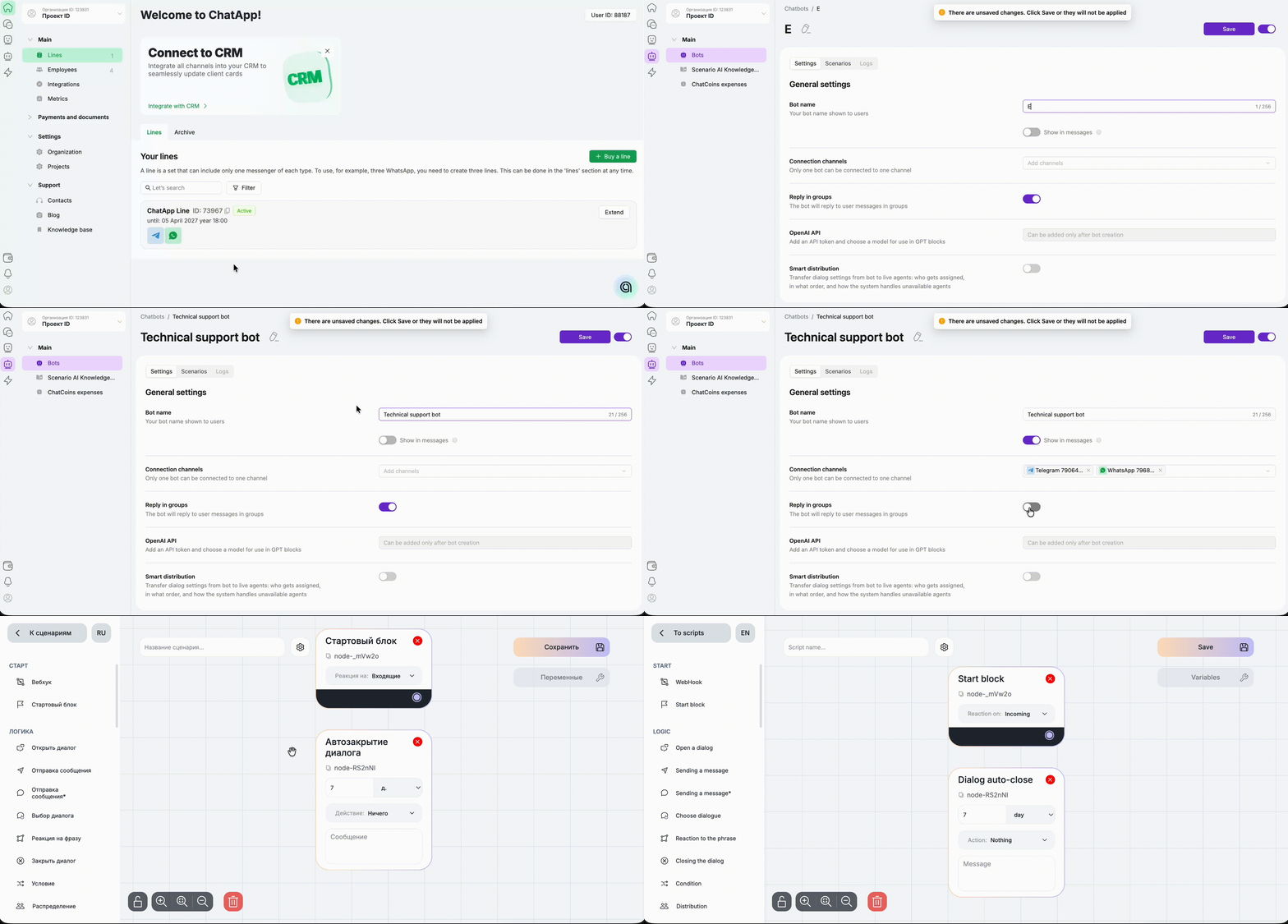
Step 1. In the ChatApp dashboard, go to the “Scenario Chatbots” section in the left menu.
Step 2. In the “Bots” section, click “+ Create bot”.
(If the bot already exists — select it from the list to edit it).
Step 3. In the “Settings” section, enter the bot name.
(If necessary, enable displaying the bot’s name in messages).
Step 4. Select one or more channels where the bot will operate.
Step 5. Enable the toggle if the bot should work in group chats, then click “Save”.
Step 6. Go to the “Scenarios” section and click “+ New scenario”.
Every scenario starts with a start block — this block determines when the bot begins working.
“Start block” — launches the bot on any message in the chat (incoming or outgoing).
“Webhook” — launches the bot based on an event in an external system where the webhook is installed.
 Chatbot Scenario capabilities
- Sending messages in private and group chats
- Collecting and saving client data in CRM (in entity fields)
- Using variables to store and modify data depending on client responses
- Mathematical calculations using the “Programmer” block
- Building logic with conditions (different scenarios depending on client answers)
- Automatic distribution of chats between managers in Scenario Dialogs
- Opening, closing, and auto-closing chats
- Adding and removing tags in chats
- Collecting ratings and feedback
- Reacting to keywords
- Monitoring chats (for analytics of managers’ performance)
- Connecting an AI assistant
- Setting up welcome messages
- Setting up auto-replies outside working hours
- API integration with external systems, etc.
